
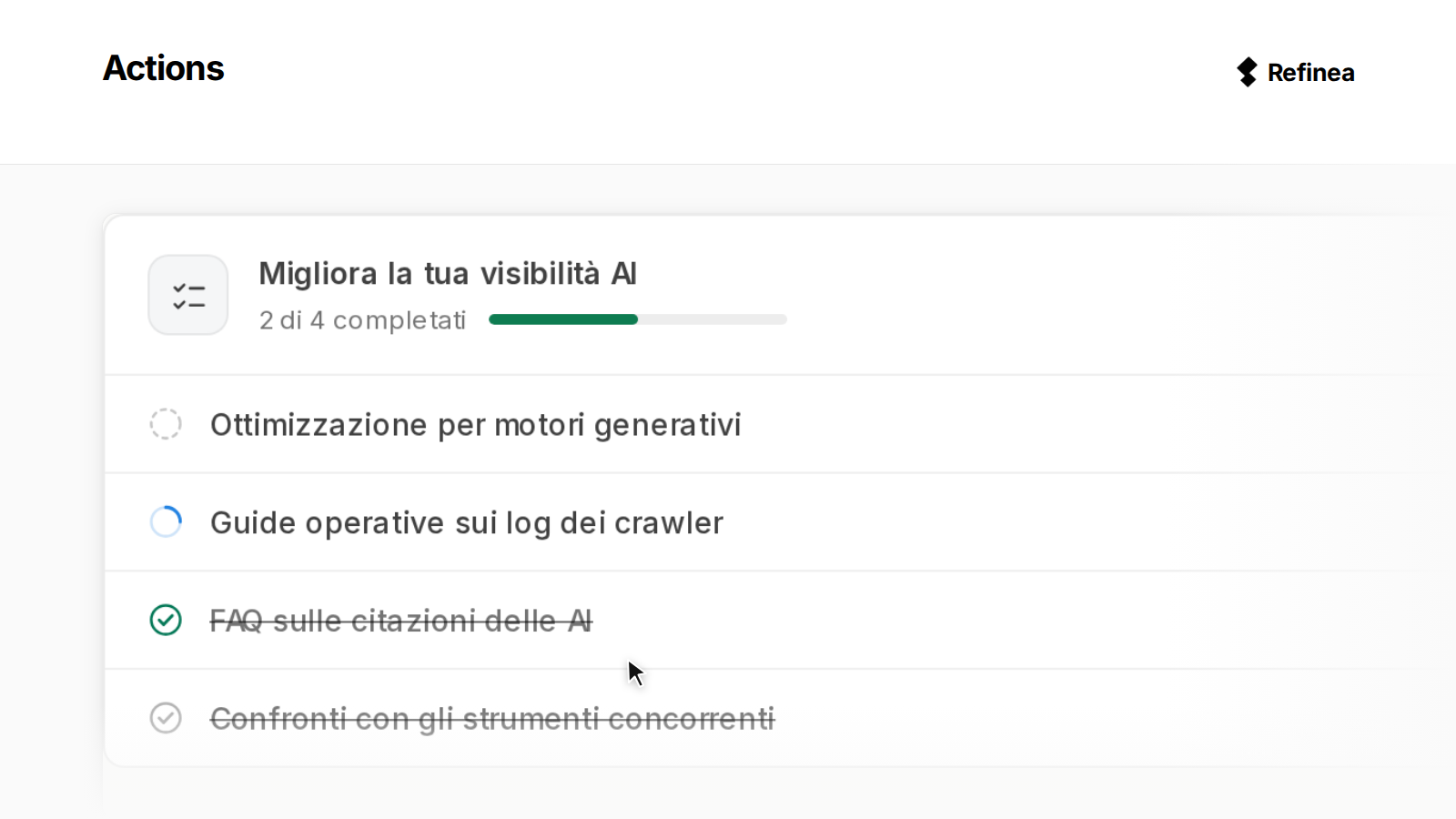
Actions opens a task when AI visibility drops for a monitored topic, connecting diagnosis, planning, and execution. The Refinea feature explains what changed using evidence from AI engine answers, proposes steps with their credit costs, and executes the accepted plan through agents.
For SEO specialists, marketers, and agency teams managing clients, a decline in citations raises specific questions. Which page lost visibility, which content replaced it, and which answers use your website without naming your brand? Without those details, choosing a page to update or an article to write means relying on trial and error.
How it works under the hood
Refinea monitors prompts, the questions it tracks to see how AI engines answer them over time. When visibility drops for a topic, Refinea opens an Action with the observed symptom, its cause, and a proposed remedy.
You can review evidence from AI engine answers in the diagnosis to identify which content needs attention. You can see who appears ahead of you and how often, which page no longer receives citations, and what replaced it. You can also find answers that use your content without naming your brand, a separate issue from losing a citation.
For a page that needs updating, Actions identifies the section to change and its CSS selector, the technical reference for that part of the page. If your website blocks AI bots, the programs that visit pages for AI services, you can inspect the robots.txt file and see which bots it blocks. Website managers use the robots.txt file to tell automated crawlers which paths they can visit.
Before accepting a plan, you can review its proposed steps, prefilled information, and credit costs. The available agents include Page Rewrite for AI Citation, Citation Outreach, and Create Article, with linked steps starting in waves.
What changes in your workflow
When deciding how to address a visibility drop, you can review the affected page, diagnostic evidence, and proposed plan together.
| Before | After | Who it helps |
|---|---|---|
| A citation drop to interpret | An evidence-backed symptom → cause → remedy chain | SEO specialists and marketers |
| A page to locate and analyze | The page and section to edit, with a CSS selector | SEO specialists and web teams |
| An intervention to build separately | A step-by-step plan with prefilled information and credit costs | Marketing and agency teams |
| An editorial decision still unresolved | A choice between optimizing the existing page and creating a new one | Content managers |
| Measurement to start after publication | A “Mark as published” command that starts measurement | SEO specialists and agencies |
For a page that does not rank, you can use the diagnosis to choose between optimizing the existing page and writing a new one.
In the chat beside the plan, you can discuss changes with the assistant, which can modify the proposal. You can also use that conversation to weigh rewriting the existing page against creating a new article.
Agents execute the plan’s tasks through the process described in how agentic optimization moves from measurement to action.
Limits and roadmap
Actions originate from monitored prompts, so a topic outside your monitoring scope cannot trigger a task.
If you manage several products or clients, you need to choose which topics to monitor for each. The absence of Actions for a topic does not, by itself, establish that its visibility remains stable.
Some causes, including blocked bots and certain citations on external websites, have no agent available in the platform. In those cases, you receive a brief for manual work, so check which interventions your team needs to handle.
Steps cost credits, which you can review in the plan before accepting it and starting execution. No additional automations or release dates have been specified for future extensions to Actions’ available capabilities.
You can also read about which AI bots visit your website, keeping automated visits separate from citations actually appearing in answers.
How to get started
Start by monitoring the topic, then assess the Action that Refinea opens when its visibility drops.
- Check that your tracked questions include the topic whose AI visibility you want to observe.
- Examine the diagnosis and evidence in the Action triggered by the drop, checking which pages and answers support the proposed remedy.
- When the plan concerns a page that does not rank, consider the choice between optimization and new content.
- Review the steps, prefilled information, credit costs, and any briefs that require manual work.
- Use the chat beside the plan to discuss changes, then accept the proposal to start the agents.
- Once the content is published, use “Mark as published” to start measuring the work completed.
Frequently asked questions
Does Actions cover topics that are not monitored?
Actions originate from monitored prompts, so a topic excluded from monitoring cannot trigger a task. To bring it within the feature’s scope, that topic must appear in the questions Refinea tracks.
Can I discuss the plan before accepting it?
The assistant chat sits beside the plan, allowing you to discuss the proposal with an assistant that can modify it. Before acceptance, the plan displays the proposed steps, the required information already filled in, and the credit costs.
Do agents execute every step?
Some causes, including blocked bots and certain citations on external websites, have no agent available in the platform. The corresponding step becomes a brief for manual execution, which you should consider alongside the tasks assigned to agents.
If you are assessing a drop for a monitored topic, you can use the Action’s evidence to discuss the next intervention with your team.